Building the Tool
I Actually Needed
A tracking problem
only I could see clearly.
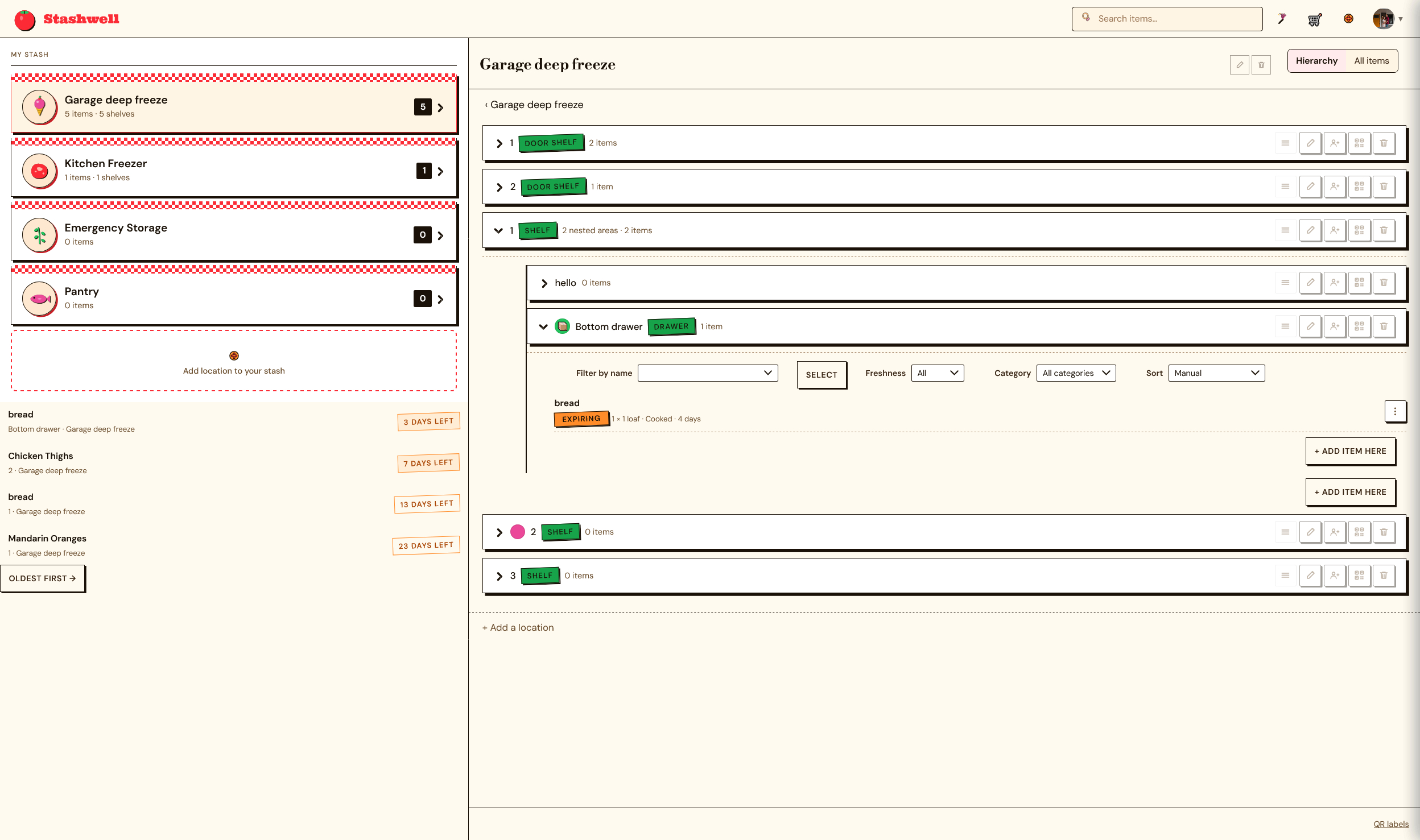
Stashwell started as a personal problem: multiple freezers stocked with sale meat, leftovers portioned into mix-and-match Souper Cube components, and scraps saved for homemade stock. It was more inventory than any paper list could keep up with.
I'm the product designer on a two-person team. I own the product end-to-end: naming, brand, JTBD research, UX, UI, and the frontend build across web, iOS, and MAUI. My engineering partner owns the platform and infrastructure decisions, including choosing MAUI for cross-platform mobile.
Paper lists don't scale to real kitchens.
A paper list can't represent what's actually in a freezer: items split across multiple appliances, portions built from interchangeable components, and stock scraps that don't map to a single product name. I tried keeping up with it through regular inventory passes, but by the time I'd finished one pass, the next trip or meal had already made it wrong again.
The harder problem was capture, not storage. Any system that asked for manual data entry after the fact would get abandoned the same way the paper list did.
"The list wasn't wrong because I was lazy about updating it. It was wrong because logging inventory competes with actually cooking, and cooking always wins."
Paper List
- One paper sheet, no structure for multi-freezer storage
- No way to represent component-based items (Souper Cube stacks)
- Re-inventoried by hand on a regular basis, and still fell behind
- Out of date again within days of every pass
- No connection between what's on hand and what to cook
Stashwell
- Structured inventory across multiple storage locations
- Multiple low-friction logging paths: QR scan, manual entry, photo
- AI photo recognition extracts item details automatically
- Always-current single source of truth
- AI meal plans generated from current inventory
Validating past
my own kitchen.
The starting hypothesis came from personal use, but I didn't stop there. I ran outside interviews to check whether the problem generalized beyond my own freezers, and applied a jobs-to-be-done lens to figure out which capture behaviors people would actually sustain versus abandon.
Those conversations validated the core demand and surfaced something I hadn't scoped for: interest in adjacent, non-food inventory, such as toys, books, and other component-heavy collections, as a possible white-label or multi-tenant direction beyond the initial pantry use case.
Component-based items need their own model
A Souper Cube behaves like a mix-and-match unit that gets recombined into meals rather than a single item, so off-the-shelf inventory models built around single SKUs didn't fit how the product actually gets used.
The demand generalizes past pantry
Interviews beyond my own use case validated the core pain and surfaced adjacent categories, toy tracking and book collections, that share the same component-heavy, hard-to-list structure. A signal for where this could go next, not a commitment to build it.
Four decisions that
shaped the product.
Not a feature list: the reasoning behind the calls that mattered most for a tool that lives or dies on whether people keep using it.
Multiple capture paths instead of one "right" way to log
QR-code scan, manual entry, and photo capture all feed the same inventory. Forcing one input method would have meant losing whichever moment didn't fit it: restocking calls for speed, cooking calls for hands-free, a grocery trip calls for a quick photo.
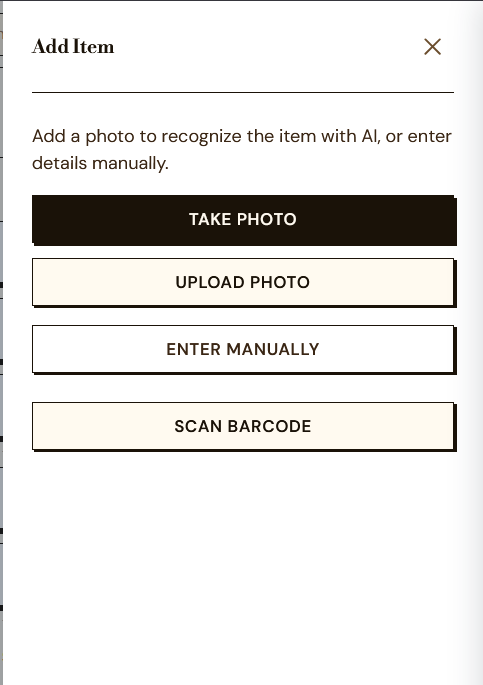
AI photo recognition to remove typing from the fastest path
A vision model extracts item details from a picture, so the lowest-effort capture path (snap a photo) still produces structured data instead of an unlabeled image dump.
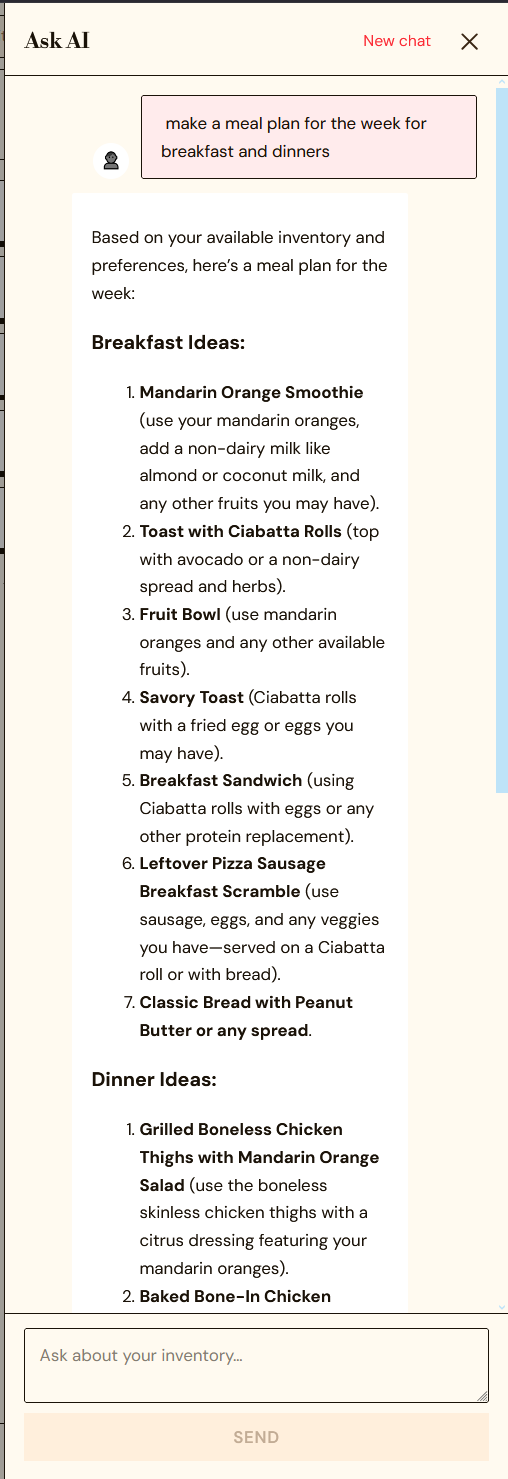
Scoped AI meal plans to current inventory only, deliberately
Meal generation pulls from what's on hand today. The freshness/aging logic already exists for the inventory dashboard, but I chose not to wire it into the meal-plan prompt yet. It's a real next iteration, not a shipped claim, and I'd rather scope it honestly than ship a half-connected feature.
Ran an accessibility audit before launch, not after
Found and fixed color-contrast issues and missing labels ahead of launch rather than treating accessibility as a post-launch cleanup pass. Cheaper to fix in a two-person team before habits and layouts calcify around the gaps.
One system,
three platforms.
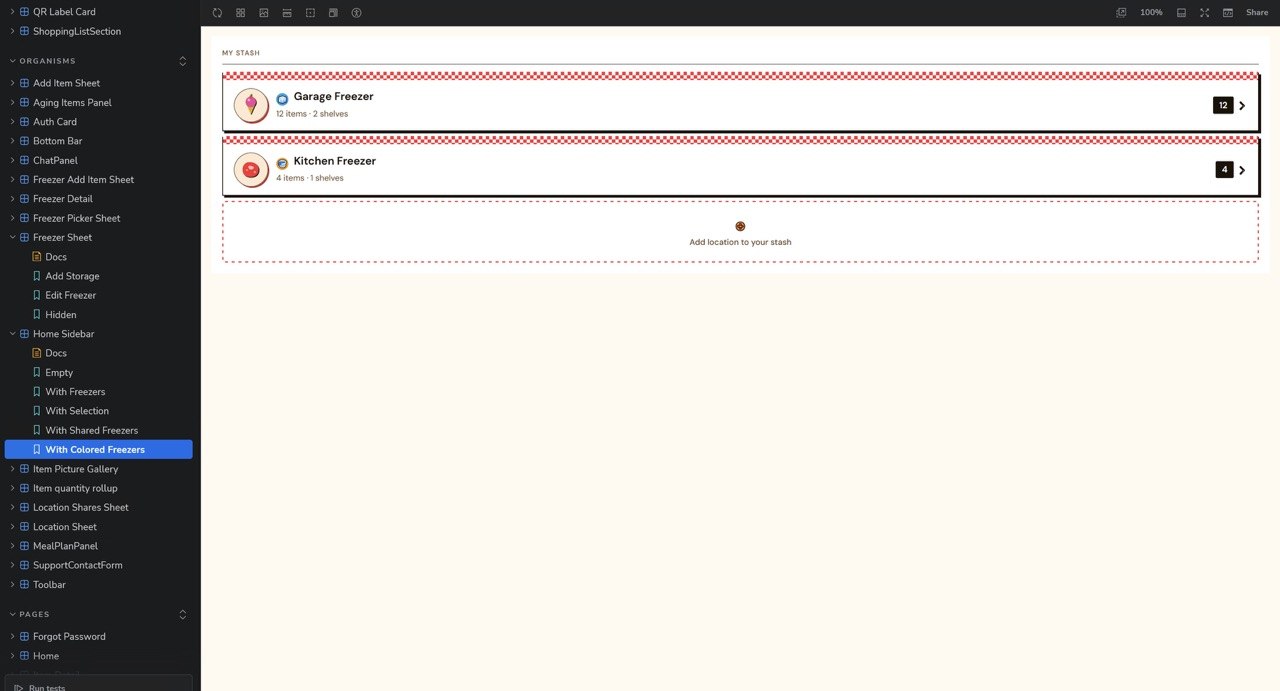
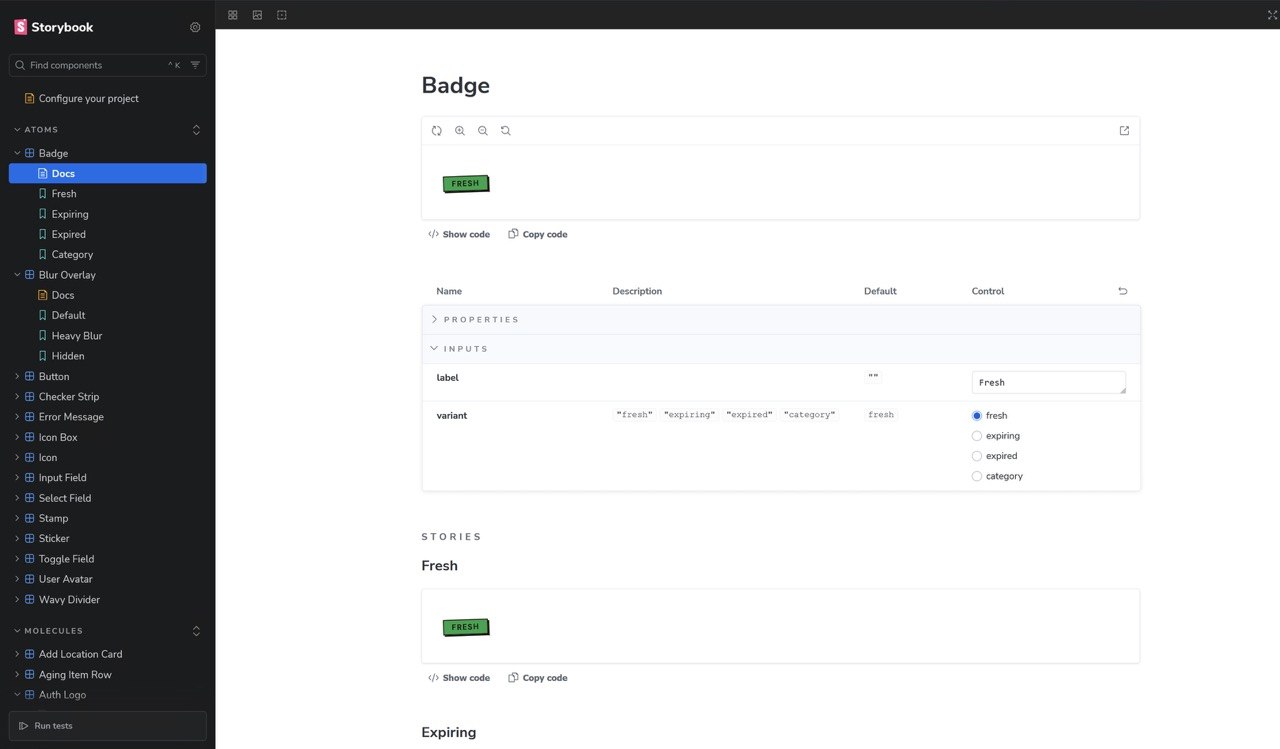
Web, iOS, and MAUI all need to feel like the same product without duplicating design decisions three times. I built and tested Storybook components covering states, types, and variants, so the component contract stays consistent regardless of which platform is consuming it.
That documentation also functions as the handoff artifact between design and engineering on a two-person team, where there's no separate design-ops function to keep things in sync.
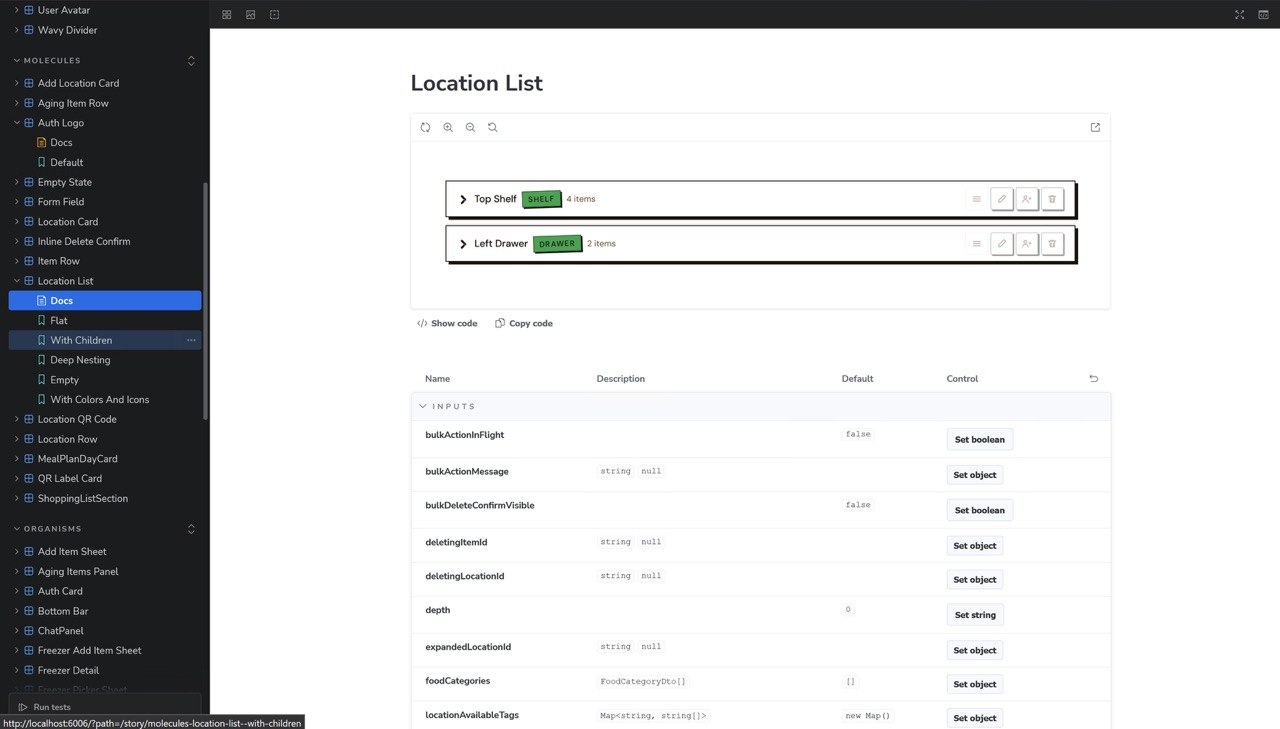
Storybook Component Library
Params-driven components covering every state, type, and color variant, tested and documented for reuse across web and mobile builds.
Cross-Platform Design Tokens
Shared visual language across web, iOS, and MAUI, reducing the chance of the three platforms drifting apart as the product grows.
This is an honest in-progress status, not a revenue claim. Update this section with real usage and outcome data post-launch.
What I'd do
differently.
I'd start user testing earlier and run it alongside the build instead of treating it as a gate that comes after. Three test users this late in the process means I'm validating decisions that would have been cheaper to change three months ago.
Owning design and frontend end-to-end kept the product coherent, but it also means testing is the thing that gets deprioritized when I'm heads-down building. On the next thing, testing gets a fixed slot on the calendar from week one, not a milestone I get to after the build feels done.
"Building solo across three platforms taught me more about where I actually add value than any single client project could. It's also where I found the gap I'm most likely to repeat if I don't fix it deliberately."
Michaela Hoffman, Product Designer & Frontend Developer